
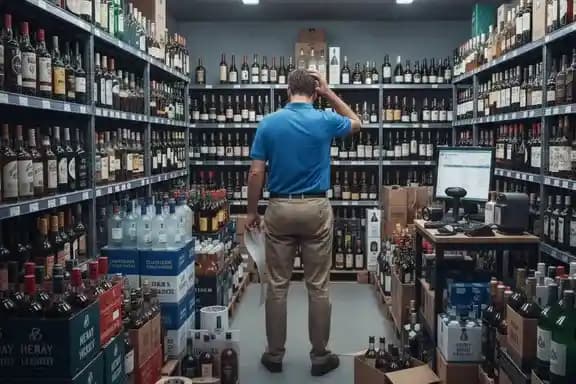
Liquor Inventory Basics: What Makes It Different From Retail
Liquor inventory isn’t just “count items and reorder.” It’s a mix of deep SKU catalogs, vendor pack sizes, case-break selling, deposits, fast price changes, and shrink risk — all happening across multiple categories with different margins. A liquor-ready POS needs to track inventory the way liquor stores actually operate, not the way a boutique retail shop does.
SKU Depth & Variants
Liquor stores carry hundreds to thousands of items with sizes, flavors, vintages, and pack formats. The POS has to keep variants clean so counts, pricing, and margins stay accurate.
Case-Break Inventory
Buying by the case and selling by the bottle creates inventory drift if the POS can’t handle pack sizes. Liquor inventory needs clean conversion rules so you always know true on-hand.
Deposits & Bottle Fees
Deposits and regulated fees can’t be “manual math” forever. A good POS can apply them consistently so pricing stays compliant and reporting stays clean.
Shrink & Margin Control
Liquor is high-theft and price-sensitive. POS inventory needs cycle counts, adjustments, permissions, and margin visibility so losses don’t hide in the noise.
A “Liquor-Ready” Inventory Setup Should Have
- Case-break rules (buy cases, sell bottles) that keep counts accurate
- Fast receiving and barcode scanning to prevent inventory drift
- Purchase orders + reorder points to keep top sellers in stock
- Permissions, adjustments, and cycle counting to control shrink
The Biggest Inventory Traps
- Manual case-break tracking (counts always “feel” wrong)
- Inventory that updates only at the register (receiving is the real problem)
- No guardrails for adjustments (shrink becomes invisible)
- Pricing changes that don’t tie back to costs (margin gets crushed quietly)
Quick diagnostic:
If your on-hand counts are often “close but not right,” the issue is usually receiving + case-break logic, not the register. The fastest way to fix inventory is to tighten how products are created, received, and adjusted — then verify with cycle counts.
Want help comparing inventory depth across platforms? See our Best POS Systems for Liquor Stores guide and the platform reviews to see which POS systems handle liquor inventory cleanly.
Case-Break & Units
Liquor stores don’t operate in a single unit of measure. You typically buy in cases, receive in packs, and sell as individual bottles. If your POS can’t connect those units cleanly, inventory becomes “close but never right.”
Case-break inventory means a single product can exist in multiple “units” at the same time — and your POS must keep them mathematically linked in real time.
- Pack size rules tied to the product
- Automatic conversions case → bottle
- Accurate cost roll-up per unit
- Optional backroom vs shelf logic
Case-break accuracy depends heavily on how the POS handles unit conversions, receiving, and reporting. Platforms like Korona POS and BottlePOS are built around liquor-first inventory rules, while systems such as Lightspeed can also support case-break workflows, often with more configuration as complexity increases.
Bottle Sizes & Variants
In liquor stores, “one product” rarely means one SKU. The same brand can exist across multiple sizes, proofs, flavors, and pack formats — and if your POS doesn’t handle variants cleanly, inventory accuracy and margins start drifting quietly.
What “variants” actually mean in a liquor store
A variant is a product that shares a core identity (brand + type) but differs by size, proof, flavor, or pack. Your POS must track each variant as its own SKU, while still keeping everything organized for scanning, reporting, ordering, and margin control.
Search one popular brand in your POS. Do you see a clean list of sizes (375ml → 1.75L), with consistent naming and correct barcodes — or do you see duplicates, weird abbreviations, and missing variants? If it’s messy, inventory accuracy and ordering will be messy too.
POS systems that handle variants cleanly — especially size-based liquor SKUs — tend to perform better long-term. Platforms like Korona POS are built around SKU-level inventory control, while systems like Lightspeed can work well for stores with large retail catalogs that don’t mind extra configuration.
Barcodes by Size
Even if your variants are set up correctly, inventory still falls apart when the register scans the wrong barcode or maps to the wrong size. In liquor, barcodes aren’t “just labels” — they’re the trigger that decides which SKU gets decremented, which cost gets applied, and whether your reorder points stay reliable.
The Most Common Barcode Problems in Liquor Stores
These issues don’t look dramatic in the moment — they show up weeks later as “inventory drift.”
Wrong UPC → Wrong Size Sold
A 750ml and a 1.75L can sit next to each other, and one bad barcode mapping means you sell the right bottle but subtract the wrong SKU.
- Counts drift by size
- Reorder points stop working
- Margins get distorted
Duplicate Items from UPC Changes
Vendors sometimes change UPCs or you may import items from multiple catalogs. If your POS doesn’t guard against duplicates, you end up with two “versions” of the same product.
- Split inventory across duplicates
- Receiving goes into the “wrong” item
- Reporting becomes unreliable
How a Good POS Prevents Barcode-Driven Inventory Drift
The goal is simple: every scan reliably subtracts the correct size and SKU — every time.
Barcode Rules by Variant
Each size should have its own SKU and its own barcode mapping — with clean naming so staff can’t confuse items.
- Consistent naming (Brand + Type + Size)
- One SKU per UPC (no “shared” barcodes)
- Warnings for duplicate UPCs
Receiving with Scanning
The best time to fix barcode issues is at receiving — not at the register after inventory already drifted.
- Scan items as you receive them
- Confirm the size/variant matches the UPC
- Merge duplicates before they spread
POS systems that manage barcode-to-SKU mapping cleanly by size tend to maintain far more accurate inventory over time. Platforms like Korona POS are built around SKU-level inventory control, while systems such as Lightspeed can work well for stores with large catalogs that prioritize retail-style scanning workflows.
Bottle Deposits & Returns
Bottle deposits seem simple — until they aren’t. In deposit states, liquor stores must track deposits separately from product revenue, handle returns correctly, and keep reporting clean. When POS systems treat deposits like regular items, inventory, accounting, and compliance start drifting fast.
- Deposits tracked separately from product revenue
- Automatic deposit refunds on returns
- Clean reporting for audits and compliance
- Clear linkage between item sold and deposit collected
- Deposits appear in sales totals
- Returns require manual cash handling
- No clear deposit liability reporting
- Staff unsure how returns should be processed
POS systems that handle bottle deposits as refundable liabilities — not product revenue — tend to produce cleaner inventory and accounting. Platforms like Korona POS support deposit-level tracking, while systems such as Lightspeed can be configured to manage deposits with additional setup.
Mix & Match Pricing Logic
“2 for $X,” “Buy 6, get 10% off,” and build-your-own cases are common in liquor stores — but promos only work when the POS applies discounts consistently without breaking inventory or turning margins into guesswork.
- Eligibility groups (which SKUs count toward the deal)
- Stacking rules (what combines vs what is blocked)
- Threshold triggers (2-for, 3-for, buy X get Y, % off)
- Discount allocation (how the POS spreads discount across items)
- Reporting integrity (promo performance + margin visibility)
- Cashiers manually “discount an item” instead of applying a rule
- Wrong items qualify (bad groups), so discounts hit unintended SKUs
- Duplicate SKUs cause the “same” item to qualify twice or not at all
- Discounts hide shrink because everything looks like “promo variance”
- Use item groups with clear inclusion/exclusion rules
- Block stacking unless you intentionally allow it
- Require manager approval for manual price overrides
- Review promo reports weekly to catch drift early
Stores that run frequent mix-and-match deals usually benefit from POS systems with stronger promotion rules and SKU controls — platforms like Korona POS tend to handle these workflows cleanly, while systems like Lightspeed can support advanced promos with more configuration.
Reporting & Cost Control
The goal isn’t more data. It’s visibility into where margins are earned, where cash is tied up, and where inventory accuracy is slipping.
Allocated Bourbon 35%
RTD Cocktails 32%
Champagne 29%
Vodka 1.75L (barcode) Medium
Minis (promos) High
Wine (case-break) Medium
Inventory value tied up: $327,500
Clearance candidates: 37 SKUs
Repeat SKU issues: 6
Manager overrides: 11
POS systems with tighter inventory rules tend to generate reporting you can actually act on. Platforms like Korona POS are built around SKU-level accuracy, while broader retail systems often require more manual cleanup as complexity increases.
When You Outgrow Your POS
Most liquor stores don’t outgrow their POS all at once — they outgrow it in small ways that show up as constant workarounds: more adjustments, more overrides, slower receiving, and reporting you don’t trust.
- Cashiers override prices or promos “to make it work”
- Staff avoids scanning because barcodes don’t behave consistently
- Receiving feels slow and manual for larger deliveries
- Cycle counts don’t match what the system says you have
- Reorder points stop being reliable
- Adjustments become a weekly habit
- Margins look wrong after vendor cost changes
- Promotions increase sales but profits don’t move
- Dead stock builds because movement data isn’t clear
- Multi-location or high SKU counts feel unmanageable
- Permissions can’t control shrink at the register
- Integrations and workflows become fragile
When stores hit these pain points, they typically look for POS systems built for inventory-heavy operations — platforms like Korona POS are commonly evaluated at this stage, while BottlePOS is often considered by liquor-focused retailers looking for an all-in-one, industry-specific platform.
Recommended POS for Inventory-Heavy Liquor Stores
If inventory accuracy is a priority — especially with case-breaks, multiple bottle sizes, and promotions — POS structure matters more than feature lists. Here’s a quick comparison of three platforms liquor stores commonly evaluate.
| Capability |  Recommended Recommended |  |  |
|---|---|---|---|
| Case-break & unit conversions | Native rule-based logic | Supported | Supported (more setup) |
| Bottle sizes & variants | Strong SKU control | Liquor-first catalog | Advanced variants |
| Mix & match promotions | Flexible rule engine | Liquor promos built-in | Capable |
| Inventory reporting depth | SKU + margin focused | Liquor-specific views | Retail analytics depth |
| Processor flexibility | Open / not locked | Bundled / all-in-one | Varies by setup |

Want the full breakdowns? Korona POS · BottlePOS · Lightspeed
Get a Free Fee Analysis
If you want to know whether your liquor store is overpaying, the fastest way is to analyze a real merchant statement. This isn’t a sales quote — it’s a breakdown of where your money is actually going and whether your current POS setup gives you room to lower costs.
- Your true effective rate
- Interchange vs processor markup
- Hidden and stacked fees
- If your POS limits pricing options
- If flat-rate pricing is costing you
- What changes would actually move the needle
- No contracts or pressure
- No forced processor switch
- No POS sales pitch
We’ll do the math and show you where the fees are coming from.
FAQs: Liquor Store POS Inventory Management
What does “case-break” inventory mean?
Case-break means you buy in cases but sell in singles. A liquor-ready POS should keep cases, packs, and bottles mathematically linked so on-hand counts, reorder points, and cost per unit stay accurate.
How should a POS track bottle sizes and variants?
Ideally, each size (750ml, 1L, 1.75L, minis) is tracked as its own SKU with its own barcode, cost, price, and margin. That keeps reporting clean and prevents one size from “stealing” inventory or profit from another.
Do I really need different barcodes by bottle size?
Yes, if you want reliable inventory. When multiple sizes share messy barcode rules, you get scan errors, wrong pricing, and inventory drift that only shows up during counts. A good POS supports clean barcode assignment and scanning workflows so the register doesn’t become the weak link.
How should bottle deposits be handled in a POS?
Deposits should be handled as a consistent rule (by item or category) so they’re charged correctly at checkout and don’t distort sales reports. If deposits are handled manually, you’ll see reporting mismatches and extra register overrides over time.
Is mix-and-match pricing important for liquor stores?
If you run promos like “Any 6 bottles,” “Pick 4 singles,” or category bundles, yes. The key is whether your POS applies the deal automatically and predictably without staff overrides — and whether promo reporting shows the margin impact, not just the sales lift.
What inventory reports actually matter?
The most useful reports are the ones that drive decisions: SKU-level margins by size, dead stock/slow movers, adjustment patterns (repeat drift), and reorder signals you can trust. If you’re doing frequent adjustments, reporting won’t be reliable until the inventory rules upstream are fixed.
How do I know if I’ve outgrown my POS for inventory?
Common signs: cycle counts don’t improve accuracy, “inventory adjustments” become routine, receiving is slow, barcodes aren’t trusted at the register, and margins don’t match reality after vendor cost changes. When that becomes normal, your POS is no longer scaling with your store.
Which POS systems are strong for liquor inventory management?
Liquor stores with heavy SKU counts and frequent case-break sales often look for systems that enforce inventory rules (pack sizes, barcode workflows, permissions, and clean reporting). Korona POS is commonly evaluated for inventory-heavy operations, while BottlePOS is often considered by liquor-focused retailers who want an all-in-one platform.
How do I measure whether inventory issues are costing me money?
One simple starting point is your effective rate (total processing fees ÷ card volume). It doesn’t measure shrink, but it helps you spot stacked fees and inefficiencies that often show up alongside messy inventory workflows and POS lock-in.
What do you need to review my setup?
A recent merchant statement is ideal. If you have one, we can break down your effective rate, markup, and stacked fees — and flag whether your POS structure is limiting pricing flexibility.